 D5 Render
Which laptop for D5 Render?
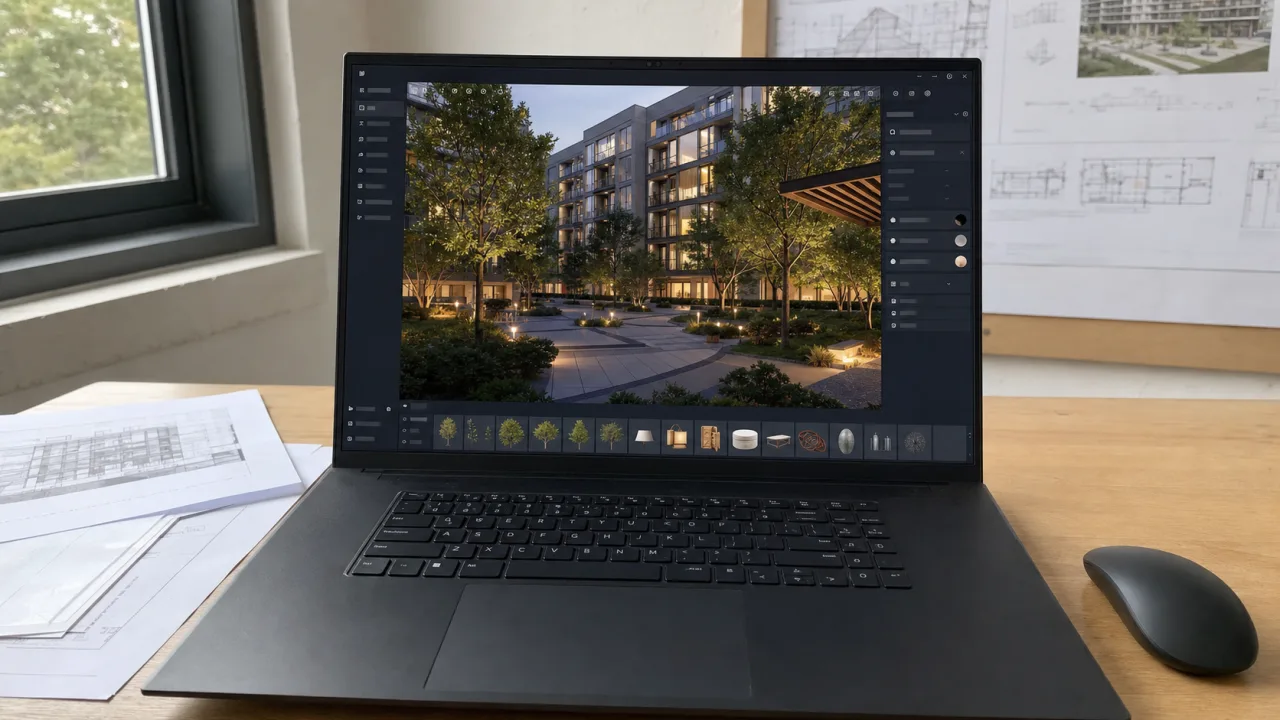
D5 Render can display a very convincing scene in real time, but it doesn't cheat with the hardware. Ray tracing, vegetation, textures, lights and assets directly occupy the graphics card and its memory.
A Tiny House can run fine on an average laptop. Add a large exterior, trees, multiple buildings, and 4K video, and the same machine starts to hang or fill up its VRAM.
For a new purchase, I would go with Windows, an RTX 5060, 32 GB of RAM and an SSD of at least 1 TB. If D5 returns every week or you work on large stages, look at RTX 5070 Ti or 5080 and 64 GB of RAM instead.
Quick response
What laptop level should you choose for D5 Render?
Start with the heaviest scene you actually open, not the empty demo that runs well on day one.
| Profile | Typical use | CPU | RAM | GPU | SSD |
|---|---|---|---|---|---|
| Introduction / small scene | Houses, interiors, spot images | Core Ultra 7 or Ryzen 7 | 32 GB targeted | RTX 5060 | 1 TB |
| Production courante | Villas, collectives, moderate vegetation | Core Ultra 7/9 or Ryzen 7/9 | 32 GB | RTX 5070 or 5070 Ti | 1 to 2 TB |
| Big scene | Neighborhoods, landscapes, heavy textures, and large asset libraries | Core Ultra 9 or Ryzen 9 | 64 GB | RTX 5080 | 2 TB |
| Video/production intensive | 4K, long sequences, frequent exports | Core Ultra 9 or Ryzen 9 HX | 64 GB+ | RTX 5080 or 5090 | 2 TB+ |
Do you know what scene should fit on the laptop?
Indicate D5 Render, the modeling software, your budget and the size of the projects. The tool rules out machines without enough GPU, RAM or SSD.
What to check before buying
D5 checks the hardware on first launch. To avoid a machine that only passes this check, start from a real scene: quantity of vegetation, textures, video, resolution and software kept open nearby.
D5 requires dedicated GPU-compatible ray tracing. The publisher also accepts certain AMD Radeon RX and Intel Arc GPUs, but the Nvidia RTX laptops remain easier to find and compare.
VRAM keeps geometry, textures, vegetation and assets. When it is missing, the scene must be lightened. For larger projects, look at RTX 5070 Ti, 5080 or 5090.
D5 often runs with SketchUp, Revit, Archicad, Rhino, Blender or 3ds Max still open. 16GB can start a small scene, but it leaves little room for anything else.
The GPU calculates the rendering. The CPU loads the scenes, processes the meshes, manages the assets and must also hold the modeling software.
Scenes, the asset library, textures, caches and exports quickly fill up 512 GB. A second SSD slot is a real advantage.
D5 loads the GPU during visits and exports. A very thin laptop can reduce the power of its RTX when the temperature rises.
D5 is based on DirectX 12 and DXR. There is no macOS version yet. If D5 is central, don't buy a Mac expecting a simple solution.
Target configuration
What configuration should you choose for D5 Render?
D5 is based on real-time ray tracing. For a new purchase, the graphics card and VRAM come before the rest, but 32 GB of RAM and a 1 TB SSD remain difficult to bypass.
- CPU
- Core Ultra 7 / Ryzen 7
- GPU
- RTX 5060
- RAM
- 32 GB si possible
- SSD
- 1 TB
For homes, small interiors and one-off images. Avoid integrated GPUs and 512GB SSDs if you download a lot of assets.
See recommendationsOur landmark- CPU
- Core Ultra 7/9 or Ryzen 7/9
- GPU
- RTX 5070 / 5070 Ti
- RAM
- 32 to 64 GB
- SSD
- 1 to 2 TB
For villas, small collectives, moderate vegetation, multiple views and occasional videos.
See recommendations- CPU
- Core Ultra 9 / Ryzen 9 HX
- GPU
- RTX 5080 / 5090
- RAM
- 64 GB
- SSD
- 2 TB
For large exteriors, urban scenes, numerous assets, 4K videos and frequent customer production.
See recommendationsTo avoid
Common errors with D5 Render
- Buy a Mac while D5 Render remains Windows software based on DirectX 12 and DXR.
- Choose an integrated graphics card: D5 requires a dedicated ray tracing compatible GPU.
- Just look at the speed of the RTX without checking the available VRAM.
- Undersize RAM while SketchUp, Revit, Archicad, Rhino or Blender remains open next to it.
- Settle for 512 GB for scenes, assets, textures, caches and video exports.
Why D5 Render refuses certain graphics cards
D5 is based on DirectX Raytracing. An integrated graphics card or GPU without proper support can prevent the software from starting, even if SketchUp or AutoCAD is running correctly on the same machine.
The editor officially accepts several families Nvidia, AMD and Intel. To buy a new laptop, an RTX 5060 remains the easiest starting point to recognize. An old compatible GTX can run D5, but it doesn't offer the speed or lifespan expected from a purchase made in 2026.
VRAM limits scene size
The graphics card doesn't just keep the displayed image. It also loads geometry, textures, vegetation, lights and assets. With 8 GB of VRAM, a reasonable home or interior often runs just fine. An urban scene or a large landscape project can fill this memory much faster.
If large exteriors, 4K video, or heavy textures are part of the job, aim for 12-16GB of VRAM. On a current laptop, this generally means RTX 5070 Ti or RTX 5080. An RTX 5090 is especially justified when heavy production comes back often enough to make its price profitable.
D5 with SketchUp, Revit or Archicad
D5 offers connections with SketchUp, Revit, Archicad, Rhino, 3ds Max, Cinema 4D, Blender and Vectorworks. The source model often remains open to correct a material, move an element, or restart synchronization.
This is why 32 GB of RAM is much more prudent than 16 GB. On a large BIM file, a detailed Blender scene or a project with several applications open, 64 GB prevents Windows from starting to use the SSD as backup memory.
D5 Render not working on Mac
D5 relies on DirectX 12 and DXR, two technologies related to Windows. The publisher indicates that a Mac version remains considered, but without an announced date. So don't buy a MacBook for D5 counting on an upcoming release.
If you are already working on Mac with SketchUp, Archicad or Rhino, Enscape And Twinmotion are the alternatives to consider. If D5 remains compulsory in an agency or at school, take a Windows laptop.
A D5 laptop must hold a charge
The RTX's name doesn't tell the whole story. Two laptops equipped with the same card may have different performances depending on the authorized electrical power and cooling. During a long video, a very thin machine can heat up, blow and then reduce its frequency.
I would first look at the 16 or 17 inch chassis with 32 GB of RAM, 1 TB SSD and a suitable power supply. If the machine stays in the office and heavy videos come up often, a desktop computer will provide more GPU and VRAM for the same budget.
Windows laptops to watch for D5 Render
The selection comes from the Architect's Laptops catalog, updated on October 16, 2026. A dedicated RTX, 32 GB of RAM and a 1 TB SSD come before the design of the chassis or the promises of the marketing sheet.
As an Amazon Associate I earn from qualifying purchases.

Acer Nitro V 16S AI Gaming

GIGABYTE Gaming A16 - Intel i7-13620H
Frequently asked questions
Does D5 Render work on Mac?
No. D5 Render remains Windows software based on DirectX 12 and DXR. The publisher has not yet announced a date for a macOS version. If D5 is part of your regular work, directly buy a Windows PC with dedicated ray tracing compatible GPU.
What graphics card do you need for D5 Render?
D5 officially accepts some older ray tracing compatible cards, including the GTX 1060 6 GB, as well as Nvidia RTX, AMD Radeon RX and Intel Arc GPUs. For a new purchase in 2026, I would go with an RTX 5060 at least. RTX 5070 Ti or 5080 are more suitable for heavy scenes and regular videos.
How much VRAM is needed for D5 Render?
8 GB is suitable for many homes, interiors and small projects. For a large exterior, lots of vegetation, heavy textures or an urban scene, 12 to 16 GB reduces the risk of saturation. On a laptop, this points to RTX 5070 Ti, RTX 5080 or RTX 5090.
Is CPU important for D5 Render?
The GPU does most of the rendering, but the CPU loads the scenes, processes the meshes, manages the assets and must also run the source software. A recent Core Ultra 7 or Ryzen 7 is sufficient for many projects. Upgrade to Core Ultra 9 or Ryzen 9 if scenes are heavy or Revit, SketchUp, or Blender remains open next to it.
What software does D5 Render work with?
D5 offers connections to SketchUp, Revit, Archicad, Rhino, 3ds Max, Cinema 4D, Blender and Vectorworks. Compatible versions evolve regularly. Check the D5 download page before updating your modeling software or LiveSync plugin.