MacBook Air M5
32 GB / 1 TBPossible to discover Twinmotion, prepare a few simple images or present a small house. But as a main machine for regular rendering, I wouldn't go with an Air.
 Twinmotion
Twinmotion is 3D rendering software mainly used by architects, but not only. We use it to produce photorealistic images, videos, tours and project presentations without getting lost in an overly complex rendering engine.
Its particularity is that it is rather easy to use. You can get a nice result quite quickly. But even if it is well optimized, Twinmotion still requires real power to run correctly. And this power depends above all on what you want to do with it.
This guide is here to help you find THE right laptop for Twinmotion, adapted to your use and, of course, to your budget.
Quick response
Twinmotion can run on an average machine. What matters is what you are going to produce with it: simple image, regular rendering, video, VR or large project.
| Profile | Typical use | CPU | RAM | GPU | SSD |
|---|---|---|---|---|---|
| Images simples | Small project, occasional views, simple presentation | Core Ultra 5/7 or Ryzen 7 | 16 to 32 GB | RTX 5060 or MacBook Pro well equipped | 1 TB |
| Very current project | Revit, SketchUp or Archicad open next to it | Core Ultra 7 or Ryzen 7 | 32 GB | RTX 5060 or 5070 | 1 TB |
| Regular rendering | Lumen, loaded projects, video exports | Core Ultra 7/9 or Ryzen 9 | 32 to 64 GB | RTX 5070 or 5080 | 1 to 2 TB |
| VR / big project | VR, large projects, frequent customer production | CPU haut de gamme bien refroidi | 64 GB | RTX 5080 or 5090 | 2 TB |
So you might as well avoid the PC which looks powerful on the sheet, but which gets stuck as soon as the project grows.
Now we can look at the technical sheet. For Twinmotion, start with the graphics card. Then only: VRAM, RAM, SSD and screen.
On Windows laptop, go at least with an RTX 5060. For regular use, look at RTX 5070 or RTX 5080. The RTX 5090 is mainly aimed at very large projects, VR and heavy exports.
8 GB can pass for simple scenes. For 4K, heavy assets, Lumen, Path Tracer or VR, aim for 12 GB or more. An RTX 5080 goes to 16 GB, an RTX 5090 to 24 GB.
16 GB can fit on a small stage. But with Revit, SketchUp, Archicad, Rhino or Photoshop open alongside, aim for 32 GB.
The CPU isn't the hero of Twinmotion, but it matters for imports, sync, and open source software on the side.
512 GB fills up quickly with libraries, textures, scenes, videos and exports. With 1 TB, you have to clean less often.
On a 14 inch, the viewport, library and settings are easy to use. A 16 inch is more pleasant to work with.
Twinmotion runs natively on Apple Silicon, but Path Tracer and VR remain on the Windows side. For Mac, especially aim for a well-equipped MacBook Pro.
Target configuration
If the budget is tight, don't skimp on RTX and RAM. This is often where bad purchases begin.
For simple images, small projects and one-off presentations. If Revit or SketchUp is left open often, don't hang around with 16 GB.
See recommendationsOur landmarkThis configuration allows you to keep Revit, SketchUp, Archicad or Rhino open with Twinmotion.
See recommendationsFor Path Tracer, videos, large projects, VR and renderings that come up often. There, you need some margin.
See recommendationsTo avoid
Special MacBook
Yes, Twinmotion can run on Mac. And since recent versions, it's no longer just a DIY solution: the application is native on Apple Silicon. For home images, interiors, client presentations or routine rendering, a well-configured MacBook Pro can get the job done.
But we must be clear: Twinmotion on Mac is not the equivalent of a Windows laptop with RTX. On macOS, Path Tracer is not supported, neither is VR, and Lumen does not work like on a high-end Windows machine. So the MacBook is mainly chosen for classic real-time rendering, not to push everything to the limit.
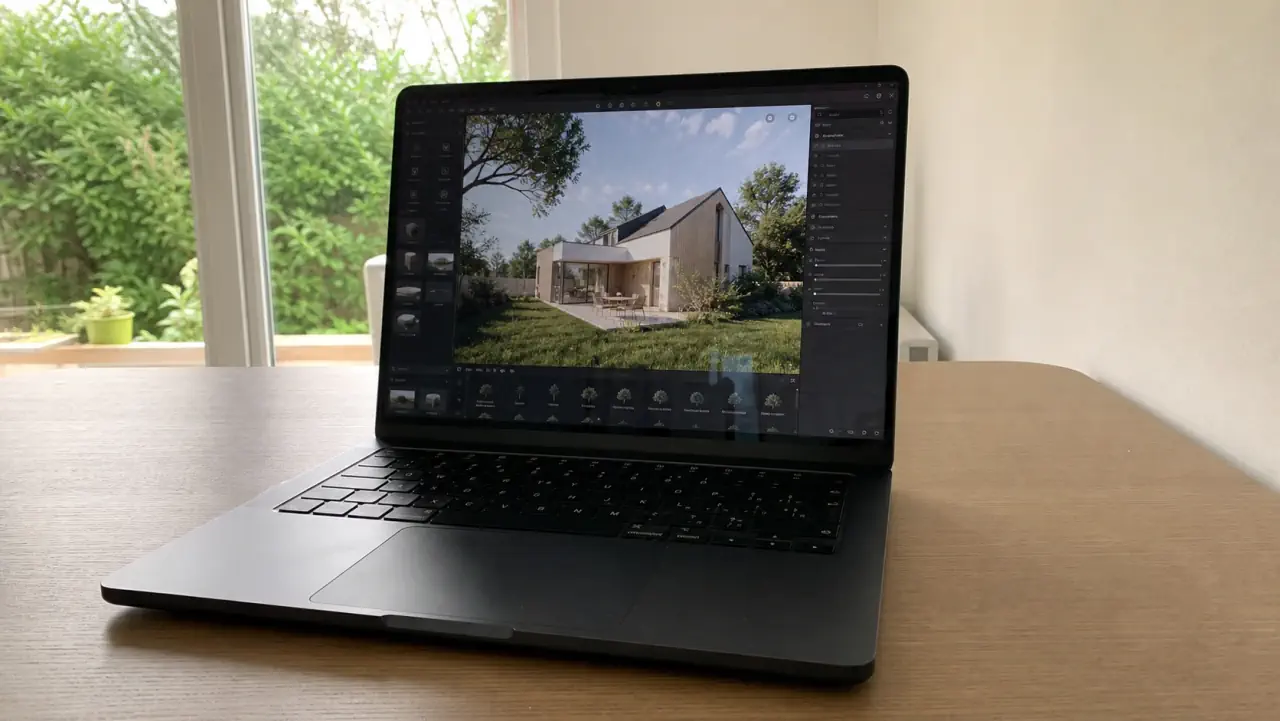
Possible to discover Twinmotion, prepare a few simple images or present a small house. But as a main machine for regular rendering, I wouldn't go with an Air.
This is the first MacBook I would seriously look at for Twinmotion. It remains mobile, it lasts longer sessions better than an Air, and it leaves more headroom with SketchUp, Archicad, Rhino or Photoshop open next to it.
Choose if the laptop also serves as the main screen. The viewport, library, settings, source software and PDFs take up space. The 16 inch is less light, but more pleasant on a real day.
To watch if you want to stay on Mac with big scenes, lots of vegetation, videos and several open programs. But even with an M5 Max, if you're buying primarily for Path Tracer or VR, get a Windows laptop instead.
If you care about the Mac and your renderings remain reasonable, go for a MacBook Pro M5 Pro with plenty of memory. If Twinmotion is used to output heavy videos, VR, Path Tracer or large client scenes, Windows with an RTX 5070, 5080 or 5090 remains simpler.
It's normal. Twinmotion runs on both, but the limits are not the same. The tool can prevent you from going on a poorly targeted machine.
In real life, Twinmotion rarely runs on its own. You often Revit, SketchUp, Archicad or Rhino open next to it, sometimes with direct synchronization.
Result: it's not just Twinmotion that needs to be run. The source software also takes up RAM, the browser remains open, Photoshop sometimes falls behind, and PDFs are never far away. With 16 GB, you quickly end up closing windows. With 32 GB, you are already much more peaceful.
We have a few still images, a small project can pass. For a video, a VR tour or a Path Tracer rendering, the RTX and VRAM cost much more.
An RTX 5060 can get the job done on common presentations. If you often output videos, if you load large Quixel assets or if you want to test VR, look at the RTX 5070 or RTX 5080. The RTX 5090 also exists, but it is mainly aimed at very high-end laptops. And on big projects, 64 GB of RAM starts to make sense.
If you go for Windows, here are the models to look at first in the Architect's Laptops catalog, updated on October 16, 2026. For Twinmotion, I would look at the RTX, VRAM, RAM and SSD first. A card that looks powerful but without a real dedicated graphics card is not a good buy.
As an Amazon Associate I earn from qualifying purchases.


Yes, since 2019 Epic Games has offered Twinmotion for free for individuals and businesses with less than $1 million in revenue per year. Beyond that, a commercial license is required. For students and small agencies, it is therefore a no-cost alternative to Lumion (which costs several hundred dollars per year).
Yes. Twinmotion offers synchronization with Archicad, but also with Revit, SketchUp, Rhino and Vectorworks. The point to remember is that the source software often remains open alongside. So RAM and SSD matter as much as the graphics card.
For simple 4K, 8 GB of VRAM can be used, for example with an RTX 5060. To work more quietly with heavy textures, vegetation, Lumen or Path Tracer, aim for 12 GB of VRAM or more, therefore RTX 5070 / 5070 Ti minimum. For large scenes, VR or frequent video exports, an RTX 5080 with 16 GB or an RTX 5090 with 24 GB gives more margin. Below a real dedicated card, it is not a good choice for Twinmotion in 4K.
Yes for simple or moderate scenes, but it's not the machine to choose for pushing Twinmotion for a long time. The MacBook Air does not have an active fan, so it may reduce its performance under load. And on Mac, Path Tracer and VR remain real limits. For regular use, a well-equipped MacBook Pro or Windows RTX PC makes more sense.