MacBook Air Apple Silicon
16 to 24 GB / 512 GB or 1 TBVery good for lessons, travel, small models and a few boards. I wouldn't take it as my main machine if Layout or Rendering stays open all day.
 SketchUp
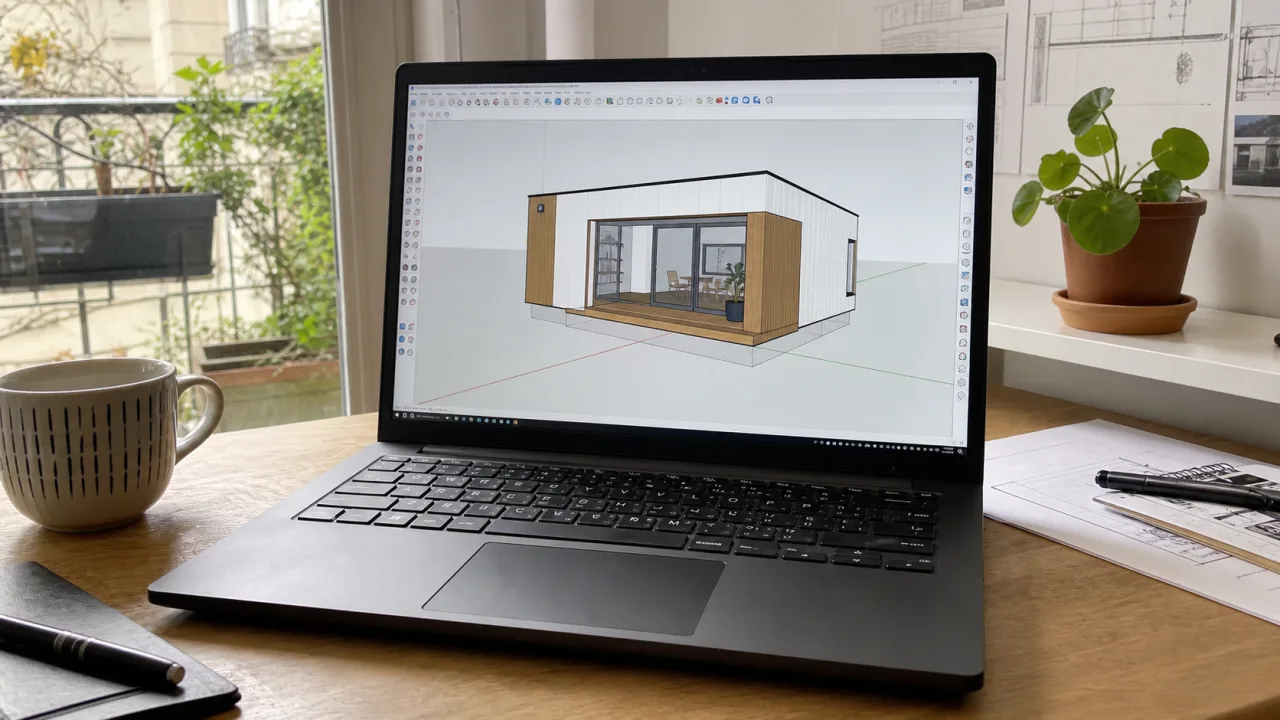
SketchUp, in its basic version, is rather easy to operate. Even an entry-level laptop can run it. But throwing it is one thing. Working comfortably on it for several hours is another.
Things get complicated when you start working seriously: large volumes, detailed models, high-resolution textures, 3D Warehouse components collected everywhere, plugins plugged in here and there, Layout open next to it, sometimes V-Ray, Enscape or Twinmotion to output images.
Ultimately, the right laptop for SketchUp depends above all on what you are going to do with it. A student who models simple projects does not need the same machine as an architect who prepares complete files and produces 3D renderings regularly.
This guide is here to sort things out: know which configuration to aim for, where to put the budget, and avoid two classic mistakes: paying too much for an oversized machine, or buying a laptop which becomes too small as soon as the projects get bigger.
Quick response
Before comparing datasheets, ask yourself what is still open around SketchUp: Layout, Photoshop, heavy components, renderer, browser and libraries.
| Profile | Typical use | CPU | RAM | GPU | SSD |
|---|---|---|---|---|---|
| Getting started | School, sketches, small interiors | Core i5, Ryzen 5 or Apple Silicon | 16 GB | Recent integrated or RTX 5050 | 512 GB to 1 TB |
| SketchUp Pro + Layout | Files, boards, Photoshop next to it | Core Ultra 5/7 or Ryzen 7 | 32 GB targeted | RTX 5050/5060 or MacBook Pro | 1 TB |
| SketchUp + GPU rendering | Enscape, V-Ray, textured scenes, videos | Recent Core Ultra 7 or Ryzen 7 | 32 GB | RTX 5060 or 5070 | 1 to 2 TB |
| Big models / agency | Heavy components, libraries, frequent rendering | Core Ultra 7/9 or Ryzen 9 | 32 to 64 GB | RTX 5070 or mieux | 2 TB |
A clean SketchUp file can run on a fairly reasonable laptop. The problems arise with overly detailed 3D Warehouse components, heavy vegetation, huge textures, nested groups everywhere, busy styles, shadows and scenes that are never purged.
In this case, a more expensive RTX will not clean the model for you. You need a responsive machine, yes, but above all you have to look at what remains open around it: AutoCAD, Photoshop, PDF, browser, Layout or renderer.
SketchUp Pro alone remains rather easy to use. Layout, a little less. When the views multiply, the styles are heavy, PDF exports take time and Photoshop remains open nearby, it is not necessarily the graphics card that is blocking.
To prepare real files, I would like 32 GB of RAM as soon as possible, a 1TB SSD and a screen that leaves a little space. On 14 inches, it helps. On a real day with pallets, scenes, tags and boards, the 16 inch is simpler.
As soon as the rendering arrives, forget the "SketchUp is light" reasoning. V-Ray for SketchUp, Enscape, Twinmotion Gold Lumion will tap into the graphics card, VRAM, RAM and SSD.
For serious real-time rendering, don't go below an RTX 5060. For vegetation, detailed interiors, lights, videos or renderings that come up often, look at RTX 5070 or better. And if SketchUp remains open while rendering, 16 GB of RAM will quickly annoy you.
Before comparing processors and RTX, ask yourself what you are really open to: small models, Layout, large components, real-time rendering, MacBook or Windows laptop. Without that, we compare sheets without knowing what problem we are trying to avoid.
SketchUp itself runs well on both. The choice becomes more complicated especially with the plugins: Lumion, D5 Render and the rendering Nvidia tends towards Windows.
In SketchUp, a soft CPU feels fast: orbit that hangs, heavy groups, components that take time to open. Don't let yourself be seduced by a large plug in a hot chassis.
16 GB is enough for learning and doing your own project. As soon as Layout, Photoshop, the browser and heavy components remain open, 32 GB avoids spending the day closing windows.
For SketchUp alone, don't put all the budget into RTX. For Enscape, V-Ray GPU, Twinmotion or Lumion, yes: you need a real dedicated card and enough VRAM.
512 GB fills up quickly with SKPs, 3D Warehouse components, textures, Layout exports, renders, libraries and backups. With 1 TB, you have to clean less often.
On 14 inches, SketchUp passes. On a day with palettes, scenes, tags, materials, browser and Layout, the 16 inch is much less painful.
A thin laptop may be enough for modeling. As soon as you run a render, look at the noise, heat and power output, not just the name of the RTX.
Target configuration
For SketchUp alone, don't overpay for the graphics card. For SketchUp with rendering, don't do the opposite: the RTX, RAM and SSD must follow.
For SketchUp alone, school, sketching and small projects without GPU rendering. At this price, avoid old CPUs, 8 GB of RAM and SSDs that are too small.
See recommendationsOur landmarkThis configuration is suitable for SketchUp Pro, Layout, Photoshop, PDFs and some heavy components.
See recommendationsFor Enscape, V-Ray, Twinmotion, textured scenes, vegetation, one-off videos and long sessions with SketchUp open alongside.
See recommendationsTo avoid
This is often where the purchase comes into play. Indicate your software and your budget to avoid two mistakes: paying for an RTX that will hardly be used, or taking a PC that is too tight as soon as you start rendering.
Special MacBook
On Mac, SketchUp is not the problem. For modeling, doing studies, preparing boards in Layout and keeping Photoshop or Illustrator nearby, a MacBook Apple Silicon can very well serve as a workstation.
The trap is to stop there. SketchUp launches, yes. But your extensions? Your rendering engine? Files exchanged with the agency? It is often the rest of the chain that decides between MacBook and Windows laptop.
Very good for lessons, travel, small models and a few boards. I wouldn't take it as my main machine if Layout or Rendering stays open all day.
The first MacBook to watch if SketchUp Pro is used every day. The fan, screen and additional memory feel fast when Layout, Photoshop and the browser remain open.
Consider whether the laptop often replaces an external screen. Palettes, scenes, tags, materials, PDF and Layout take up space.
For modeling, the Mac is no problem. For Enscape, V-Ray GPU, Twinmotion, Lumion or D5 Render, check the exact motor before purchasing. Windows with RTX often remains simpler.
If your day revolves around SketchUp, Layout, Photoshop and mobility, the MacBook holds its own very well. If Lumion, D5 Render, GPU rendering or Windows plugins become central, a laptop for architect under Windows will save you from surprises.
In the Architect's Laptops catalog, updated on October 16, 2026, I would first look at machines that don't miss the basics: responsive CPU, 16 to 32 GB of RAM, 1 TB SSD and decent screen. If Enscape, V-Ray, Twinmotion or Lumion come up often, RTX no longer comes after the rest.
As an Amazon Associate I earn from qualifying purchases.


Yes, to learn, model properly and work on projects that are not too heavy. The limit comes when SketchUp remains open for a long time with Layout, Photoshop or a rendering engine next to it. If SketchUp is used every day, take enough memory from the start and look at a MacBook Pro instead.
Not as main Lumion position. You can model in SketchUp on Mac, then pass the file to Windows laptop for Lumion. But if Lumion comes up often in your projects, buy a Windows laptop directly with RTX.
For SketchUp alone, not necessarily. A recent integrated GPU may be enough for learning, modeling cleanly, and working on small projects. On the other hand, if Enscape, V-Ray GPU, Twinmotion or Lumion come up often, take a real dedicated RTX. There, the graphics card no longer just runs the 3D view: it handles rendering, textures, lights and loaded scenes.
For a reasonable home, interior or stage, an RTX 5060 is already a good threshold. For highly detailed interiors, vegetation, heavy textures or videos, look to RTX 5070 or better. Below a real recent dedicated card, busy scenes quickly become painful.
Yes, it is often one of the first 3D software used in schools. For starters, 16GB of RAM can go with a decent SSD and a nice screen. If the school adds Enscape, V-Ray, Twinmotion or a lot of Photoshop, go for 32 GB of RAM and a real dedicated graphics card.